

Description
Download XOOPS – Free Open‑Source CMS for Community Sites
Overview
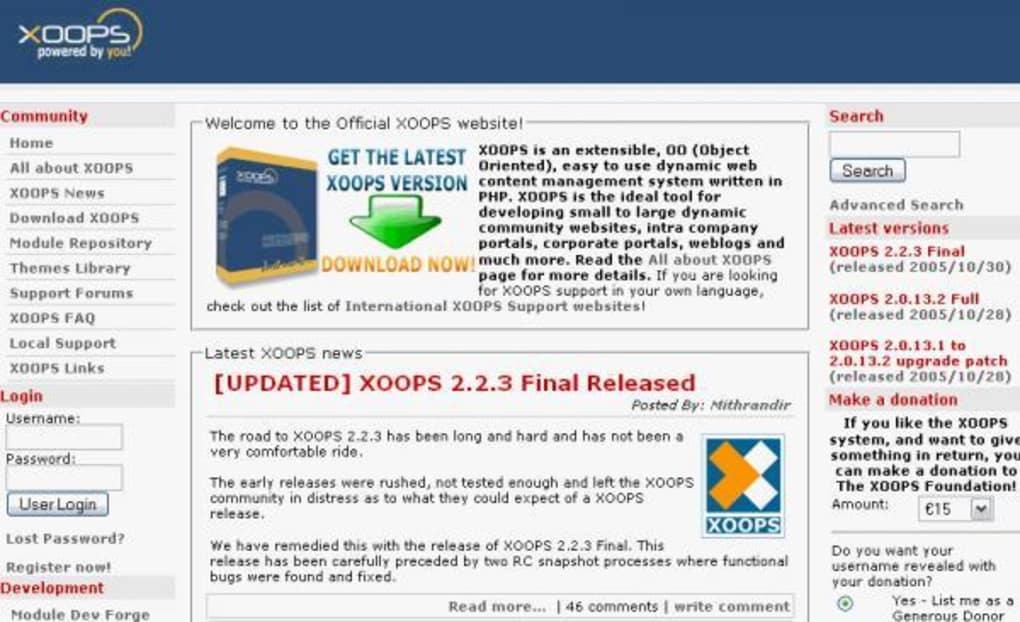
XOOPS (eXtensible Object Oriented Portal System) is a powerful, flexible, and completely free web‑content management system written in PHP. Designed for developers, community managers, and small‑to‑large enterprises, XOOPS lets you create portals, intranets, corporate sites, blogs, forums, and even full‑blown e‑commerce platforms without having to start from scratch. Its modular architecture means you can start with a simple “News” module for a personal blog and then expand to include forums, file downloads, web links, and custom‑built modules such as an online shop. Because the core is open‑source, you retain full control over the code, security patches, and future updates. While the learning curve can be steep for massive sites, the community‑driven ecosystem provides extensive documentation, themes, and plug‑ins that make building a dynamic website both secure and scalable. Whether you’re a hobbyist looking for a free weblog solution or a corporation needing a robust portal with uniform user management, XOOPS delivers a secure, extensible platform that grows with your needs.
Key Features of XOOPS
- Modular Architecture: Add, remove, activate or deactivate modules with a single click through the built‑in module administration panel.
- Uniform User Management: One central user database that works across all modules, allowing seamless single sign‑on.
- Themes & Customisation: Hundreds of community‑created themes; users can also upload avatars and personalize their profiles.
- Extensible API: Developers can create custom modules (e.g., eShop, event calendars) using XOOPS’s object‑oriented framework.
- Multilingual Support: Built‑in language packs make it easy to launch a site in multiple languages.
- Permission System: Granular group‑based permissions let you control access to content, modules, and administrative functions.
- SEO‑Friendly URLs: Clean URL generation and meta‑tag management help improve search‑engine visibility.
- Community‑Driven Plugins: A thriving marketplace of add‑ons for forums, newsletters, polls, and more.
- Robust Security: Regular security patches, input validation, and protection against common web threats.
- Free & Open Source: Licensed under GPL, allowing unlimited redistribution and modification without licensing fees.
Installation, Compatibility & First‑Time Use Guide
Server Requirements
XOOPS runs on any server that supports PHP 7.4+ and MySQL 5.6+ (or MariaDB). It is truly cross‑platform: you can host it on Linux, Windows, or macOS servers, as long as the required extensions (GD, mbstring, PDO) are enabled.
Step‑by‑Step Installation
- Download the package: Grab the latest stable zip file from the official XOOPS website.
- Upload to your server: Unzip the package and upload the contents to your web root (e.g.,
/public_html/xoops) via FTP or SSH. - Create a database: Using phpMyAdmin or the command line, create a new MySQL database and a user with full privileges.
- Run the installer: Navigate to
http://yourdomain.com/xoops/install. The wizard will check server compatibility, ask for database credentials, and set up the configuration file. - Configure admin account: Choose a strong username and password for the primary admin account. This account will have full control over modules and site settings.
- Finalize & secure: After successful installation, delete the
/installdirectory as instructed to prevent unauthorized re‑installation.
First‑Time Usage Tips
Once logged in, you’ll land on the XOOPS dashboard. From here you can:
- Activate the “News” module for a simple blog or switch to “Forum” for community discussions.
- Visit System → Preferences to set site name, default theme, and SEO options.
- Explore Modules → Install to add extra functionality like file downloads, web links, or third‑party e‑shop extensions.
- Assign user groups (e.g., Guest, Registered, Moderator) and fine‑tune permissions under Groups → Permissions.
- Customize the look and feel by uploading a new theme package or editing CSS directly in the theme editor.
Regularly check the “System → Update” section for security patches and version upgrades. Because XOOPS is open source, you can also pull the latest code from its GitHub repository if you prefer a manual update process.
Pros, Cons, and Frequently Asked Questions
Pros
- Completely free and open source – no hidden fees.
- Highly modular; you can start small and scale to enterprise‑level portals.
- Unified user management simplifies authentication across modules.
- Strong community support with extensive documentation and plug‑ins.
- SEO‑friendly architecture helps improve search rankings.
Cons
- Steeper learning curve for large, custom deployments.
- Core UI feels dated compared with modern SaaS website builders.
- Requires a server with PHP & MySQL knowledge to maintain.
- Some advanced modules may need additional coding expertise.
- Frequent updates can demand careful testing on production sites.
Frequently Asked Questions
Is XOOPS really free for commercial use?
Yes. XOOPS is released under the GNU GPL license, which permits free use, modification, and distribution for personal or commercial projects without any licensing fees.
What server environment do I need to run XOOPS?
A web server with PHP 7.4 or newer, MySQL 5.6 or newer (or MariaDB), and the standard PHP extensions (gd, mbstring, pdo). It works on Linux, Windows, and macOS hosting platforms.
Can I integrate XOOPS with existing databases?
Yes. XOOPS can be configured to use an existing MySQL/MariaDB database. However, you should ensure table prefixes do not clash with current tables to avoid data conflicts.
How secure is XOOPS against common web attacks?
The core includes input sanitisation, CSRF tokens, and regular security patches. Keeping the system and all modules up‑to‑date is essential for maintaining a strong security posture.
Is there a mobile‑friendly theme available?
Yes. Many community‑contributed themes are responsive and adapt to mobile devices. Look for themes tagged “responsive” in the XOOPS theme repository.
Conclusion & Call to Action
XOOPS stands out as a robust, free, and extensible solution for anyone looking to build a dynamic portal, community forum, or corporate intranet. Its modular design, unified user management, and strong developer community make it a compelling alternative to paid CMS platforms. While the initial setup and learning curve can be challenging for larger implementations, the long‑term benefits of full control, zero licensing costs, and endless customisation outweigh the early effort. Whether you’re launching a personal blog, a niche forum, or an enterprise‑grade e‑shop, XOOPS gives you the tools to grow without ever hitting a paywall.
Ready to start building? Download XOOPS now, follow the simple installation guide above, and join the worldwide community of developers who trust this powerful open‑source CMS. Unlock the potential of your website today—secure, flexible, and completely free.
Overall Rating: 4.3/5 – XOOPS delivers a feature‑rich, scalable platform that’s ideal for community‑driven sites.
Guides & Tutorials for XOOPS
How to install XOOPS
- Click the Preview / Download button above.
- Once redirected, accept the terms and click Install.
- Wait for the XOOPS download to finish on your device.
How to use XOOPS
This software is primarily used for its core features described above. Open the app after installation to explore its capabilities.
User Reviews for XOOPS 0
No reviews found





